Introduction
Because of the many different data representations, dealing with coordinates in the MICrONs data is not entirely simple and it is easy to make mistakes by converting between coordinate systems incorrectly.
There are three main coordinate systems that wind up getting used:
Voxel coordinates are the coordinates of a point in the original image volume. These are the coordinates that are used to index into the volumes you can see in Neuroglancer, but each number has a potentially different unit. In the MICrONs data, a voxel is 4 nm wide in the x and y directions, and 40 nm long in the z direction. This means that a 1x1x1 micron cube would be represented by a 250x250x25 voxel span. Annotations (such as synapses) are stored in voxel coordinates.
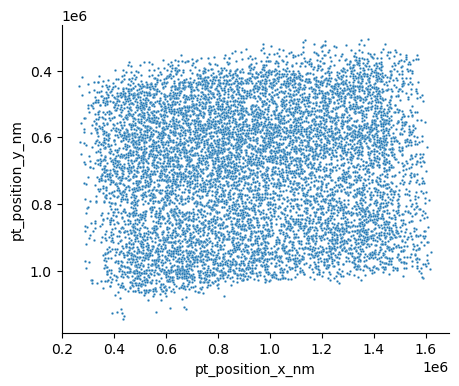
Nanometer coordinates are the coordinates of a point in the original image volume, but in nanometers. This is equivalent to the voxel coordinate multiplied by the voxel resolution, with no further transformation applied. Mesh and skeleton vertices are stored in nanometer coordinates.
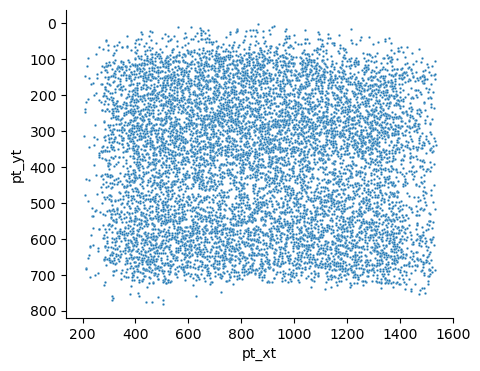
Transformed coordinates reflect a trasnsformation that has been applied to the original image volume. This transformation is a rotation to make the pia surface as flat as possible, a translation to move the pial surface to y=0, and a scaling to bring coordinates into microns. Transformed coordinates are convenient for more accurate computations of depth and the pia-to-white-matter axis, but are not stored by default. A python package standard_transform helps convert data to and from transformed coordinates.
Note that in all of these coordinate systems (including Neuroglancer), the y axis increases with depth. This is a standard definition when working with images, but is the opposite of what you usually think of with points. Because of that, when plotting annotations or neuroanatomy in matplotlib, you will usually have to invert the y axis with ax.invert_yaxis().
Back to top